

When an Amazon unit price looks wrong or is missing, the cause is almost always the listing data behind it, not your math. The fastest fix is to ignore the displayed figure and calculate it yourself: final price divided by the total quantity you actually receive, in one unit of measure. The same formula works for every product, and OutletPicks ranks products on exactly this real cost per unit, so you do not have to redo it for each listing.
TL;DR
- Amazon's unit price is generated from two seller-entered fields, a unit count and a unit type. A typo or a wrong unit in either one produces a wrong figure.
- A missing unit price usually means the product type is not one the system displays it for, or the fields were left empty.
- To verify any listing: price after coupons, divided by total units delivered, in the same unit as the item you are comparing.
- There is no federal rule requiring unit prices online. Some states have unit-pricing laws, and they differ.
- Shoppers cannot edit a listing, so the practical answer is to compute the figure yourself or use a ranking that already normalizes it.
Table of Contents
- Why an Amazon unit price shows up wrong
- Why the unit price can be missing altogether
- Check any unit price in four steps
- Variations and multipacks: where errors hide
- Is Amazon required to show unit prices?
- What you can do about a wrong or missing unit price
- Common mistakes when you correct it yourself
- Perspective: why we rank by real cost per unit
- See the true cost per unit without the math
- How to compare across stores, not just across listings
- FAQ
- Sources
Why an Amazon unit price shows up wrong
The price per unit you see under a product price is not measured by Amazon. It is calculated. According to Amazon's own Price-per-Unit FAQ, the display depends on two fields a seller fills in, the unit count and the unit count type, for example 5 ounces, a count, or grams. An automated system then decides whether to show the figure for that product type.
That design explains nearly every error you will run into:
- A wrong number in the count field. If a seller types 1 for a box that holds 12, the page divides the whole price by one unit and the figure looks twelve times too high.
- A wrong unit type. A product entered as "count" when it should be "ounce" cannot be compared with the ounce-priced item next to it.
- A stale field after a change. A seller changes the pack size or bundles a new variation but leaves the old unit data in place.
- Inconsistent units across similar products. One shampoo is priced per fluid ounce, the next per ounce, a third per count. Each figure can be internally correct and still impossible to compare.
The math itself is simple: total price divided by total units or net weight. A $16.00 product holding 32 ounces is $0.50 per ounce. Any listing where the displayed figure disagrees with that division has a data problem, and the data problem is on the listing, not in your calculator.
Why the unit price can be missing altogether
A blank unit price is a separate issue from a wrong one. Amazon's FAQ describes an automated check that decides, product type by product type, whether the unit price appears. If the product type is outside that logic, or the count and type fields are empty or unusable, nothing shows.
Amazon has pushed sellers toward filling these fields in. Its July 2021 US seller announcement required unit count and unit count type for listings in Beauty, Grocery, Health and Personal Care, Food, Beverage, Cleaning Products and Pet Supplies, including new items and updates to existing ones. Existing listings can be corrected through listing templates or the Listing Quality Dashboard, both seller tools.
Two practical takeaways:
- In those categories, a missing or odd unit price points to an old, incomplete or poorly maintained listing. That alone is useful information about how much care went into it.
- In categories outside that list, electronics, cables, printers and many accessories, a missing unit price is more common and often normal. You will need to define the unit yourself, such as price per foot of cable or price per page of printer ink.
Check any unit price in four steps
You do not need a spreadsheet. You need four numbers and one division.
Step 1: Find the final price you will pay
Start from the price at checkout, not the list price. Subtract any coupon you will clip or subscription discount you will actually use. Consumer Reports makes the same point in its guide to unit pricing: normalize the units and account for coupons before comparing, otherwise the displayed figure can mislead.
Where it goes wrong: a coupon that applies to only one variation, or a discount that disappears when you change the quantity.
Step 2: Count the total units delivered
Read the title, the bullet points and the product details, then multiply. A "6 pack" of 4-count boxes is 24 units. A 3-pack of 16-ounce bottles is 48 ounces. Use the quantity that arrives at your door, not the number of packages.
Where it goes wrong: titles that mention two different counts ("100 count, 2 pack"), and variations where the dropdown changes the pack size but the unit data stays the same. It pays to compare the unit shown after you select the exact variation.
Step 3: Convert to one unit of measure
NIST's unit pricing best-practice guide says the same unit of measure should be used across like items. When one listing is per ounce and the other per pound, divide the pound price by 16 or use our price per pound to price per ounce conversion. Mixing fluid ounces and weight ounces is another trap: they measure different things, so stay with the unit the label gives for the product.
Step 4: Divide and compare
Final price divided by total units gives your own unit price. If it matches the displayed one, the listing is fine. If it does not, trust your figure. Our price per ounce formula walkthrough shows how a small slip here can lead to a roughly 10% error, and our guide to calculating unit price in four steps covers other units.
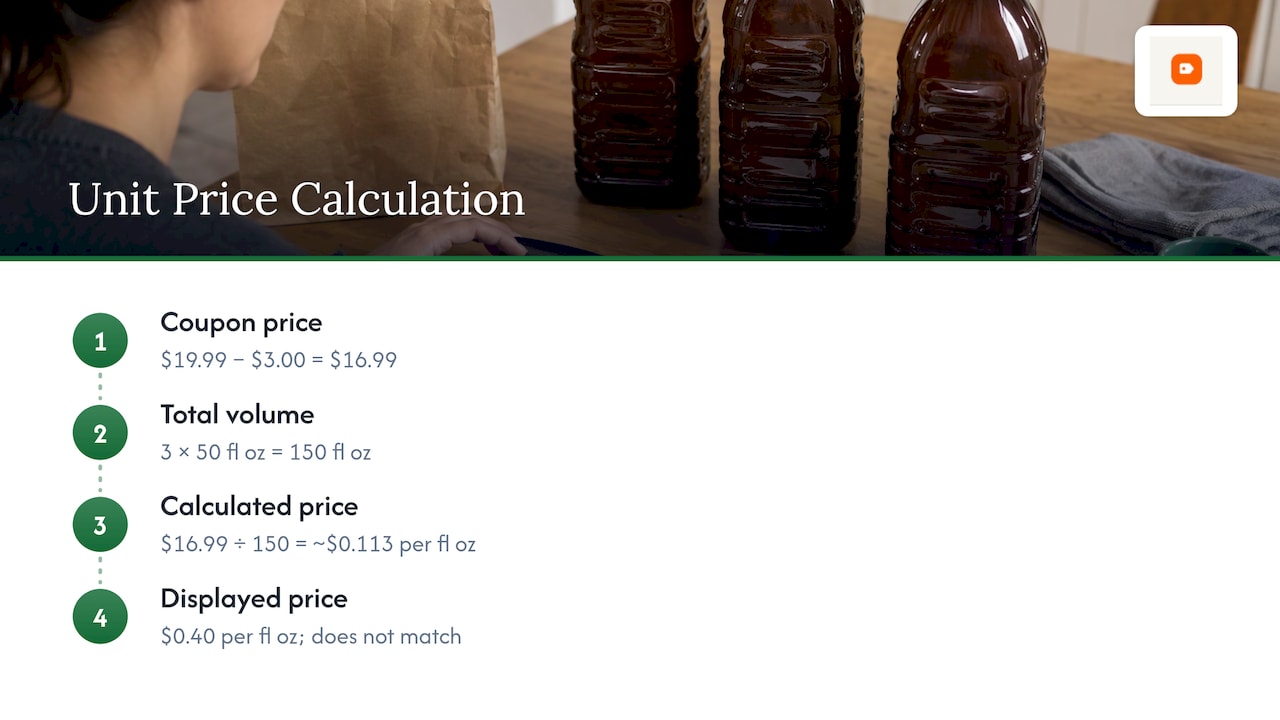
A worked example: a laundry detergent is $19.99 with a $3.00 coupon, shipping 3 bottles of 50 fluid ounces each. Total volume is 150 fluid ounces. Final price is $16.99. Unit price is $16.99 divided by 150, about $0.113 per fluid ounce. If the page shows $0.40 per fluid ounce, the count field probably holds 1 bottle's worth or the wrong number.
Variations and multipacks: where errors hide
Most wrong unit prices come from listings with several variations. A parent product groups different sizes under one page, and each child should carry its own unit count. When one child is entered incorrectly, it can look like the best deal on the page, or the worst, with no change in the product itself.
Habits that catch this:
- Click each size and re-read the unit price instead of comparing the first one you see.
- Compare the largest and smallest sizes. Bulk is not always cheaper per unit, and a listing where the big pack costs more per ounce is worth a second look at the quantities.
- Check the quantity in the title against the quantity in the details. If they disagree, calculate from the one that matches the photos and description.
The same logic applies to a food example: a toffee seller's breakdown of price per ounce of toffee shows how the total net weight in a package, not the number of pieces, is what the figure should rest on.
Is Amazon required to show unit prices?
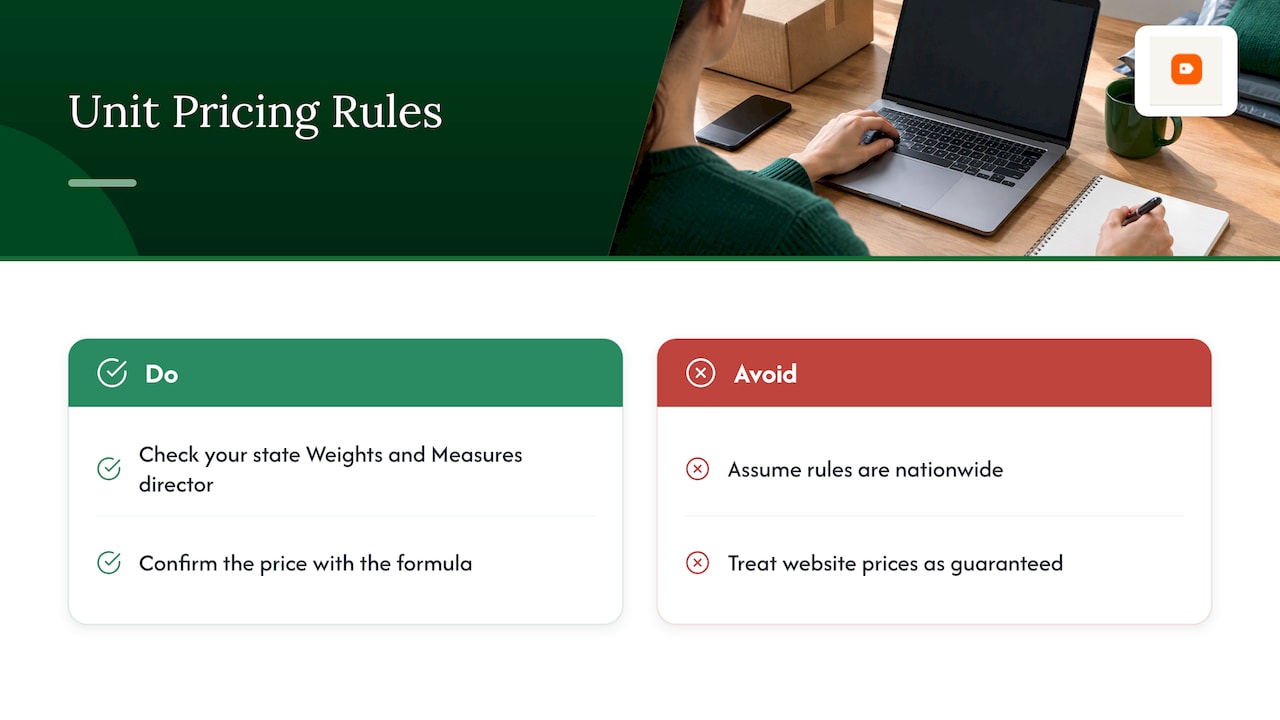
Not nationwide. According to NIST, there is no federal mandate for unit pricing: it is voluntary unless a state or territory requires it. NIST's 2025 guide lists unit-pricing laws or regulations in 16 states and three territories: Arkansas, Connecticut, Florida, Hawaii, Maryland, Massachusetts, Mississippi, Montana, Nevada, New Hampshire, New Jersey, New York, Oregon, Rhode Island, Vermont, West Virginia, the District of Columbia, Puerto Rico and the U.S. Virgin Islands.
The picture has been changing. NIST's December 2024 update reported nine states and one territory with mandatory laws or regulations and eight states and two territories with voluntary provisions at that time.
Two things follow for you as a shopper. First, requirements differ by state, and NIST advises checking with the state Weights and Measures director or the state law itself before relying on a particular rule. Second, a displayed unit price on a website is a convenience, not a guarantee. Treat it as a starting point and confirm it with the formula above. Our piece on unit pricing and usable units goes deeper on how the rules interact with what you actually pay.
What you can do about a wrong or missing unit price
The unit fields belong to the seller, so a shopper cannot edit them. That leaves three practical moves.
- Calculate it yourself. Four steps, under a minute once you have done it a few times. Our unit price calculator guide shows the quick version.
- Compare against a ranking that normalizes units. Rather than trusting each listing's display, use a page that has already put every product on the same unit. This is what OutletPicks does for the categories it covers.
- Treat a broken unit price as a signal. A listing with a nonsensical figure may also have an outdated title, wrong pack counts or stale variations. Read the details twice before you buy.
If you are comparing several products, such as five tubes of toothpaste or six brands of cat litter, the stakes of a single wrong figure are higher because you may pick the wrong winner. Comparing effective prices across package sizes and discounts is the core of saving at the supermarket, and the same discipline applies online.
Common mistakes when you correct it yourself
Even careful shoppers make a few predictable errors when they replace Amazon's number with their own.
- Ignoring shipping and membership cost. If a product needs a minimum order or a paid membership to reach the price, include that in the final price.
- Counting free items twice. A "buy 2, get 1 free" offer means three units for the price of two. Divide by three, not two.
- Forgetting that units differ by category. Diapers are per diaper, paper is per sheet, cables per foot, beauty products per milliliter or ounce. Choose the unit that matches how you use it.
- Comparing different strengths. A concentrated detergent and a regular one can have the same volume but a different number of loads. Where a load count is stated, price per load is often the fairer unit.
- Using a stale price. Prices change, so redo the division at the moment you buy.
Perspective: why we rank by real cost per unit
We built OutletPicks because the sticker price tells you very little. A large pack can look expensive and be the cheaper buy, and a small pack can look like a bargain and cost more per ounce, per diaper or per foot. The only way to compare them is to put everything on one unit.
That is why we calculate and rank products by real cost per unit across Amazon and partner retailers, whatever the pack size or brand. When a listing's own unit price is off, a ranking built from the total quantity and the final price does not inherit the error. We recheck retailer data on a rolling cycle, so the figures you see follow the prices shoppers actually face.
Our approach is simple: one unit per category, one formula, and the working shown. If you want to see how it plays out on a big retailer's own products, our study of what Amazon's own brands save per unit lays out the numbers.
Alex
See the true cost per unit without the math
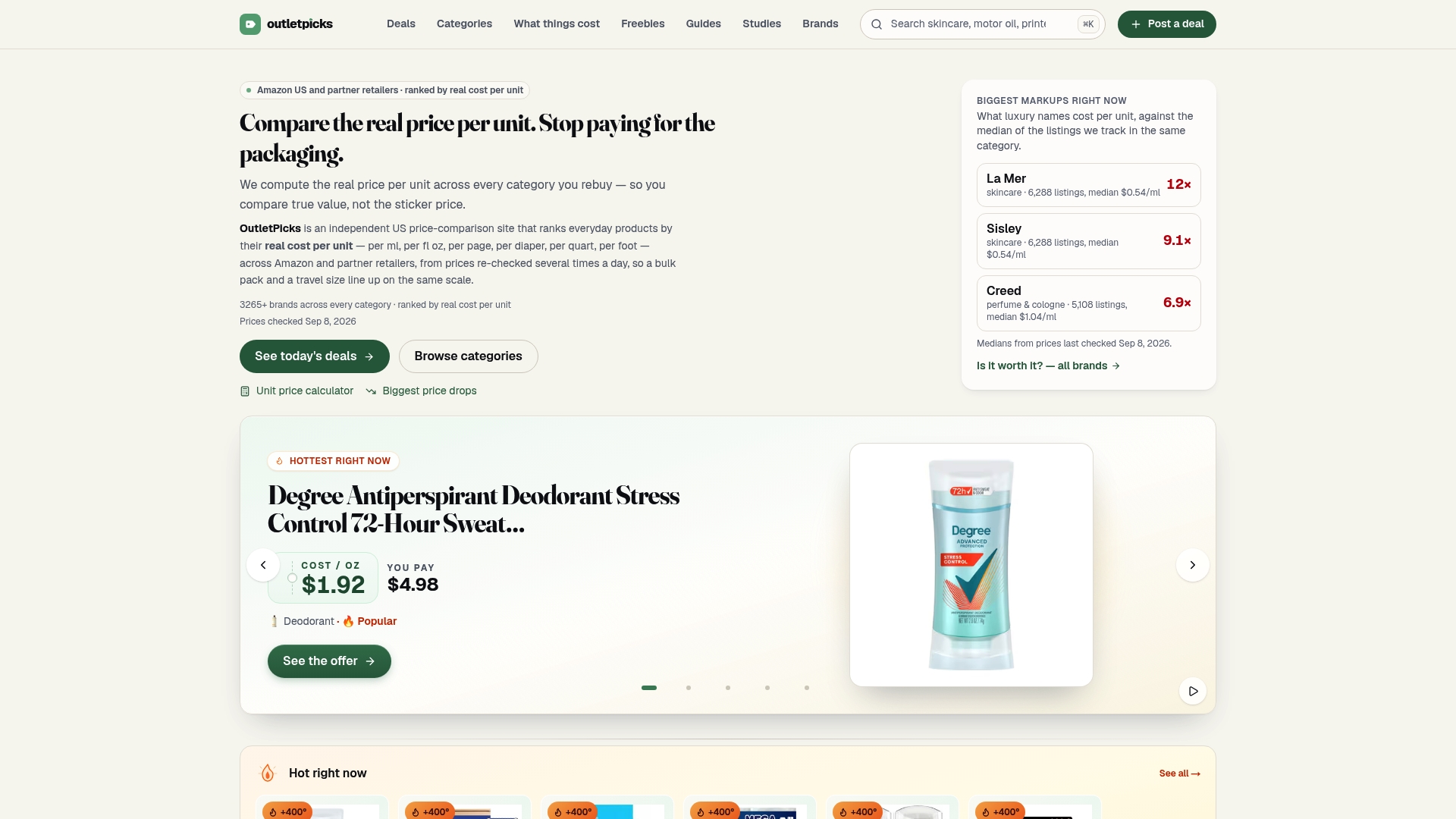
If you would rather not recheck every listing, start with OutletPicks. We rank products by real cost per unit in categories including skincare, hair care, fragrance, body care, baby care, pet food, light bulbs, cables, cameras, makeup, desktop PCs, tablets and printers. Browse the full list of categories, or look at the brand index ranked by real cost per unit to see which brands give you the most for your money.
For deals that change often, the weekly pages for body care and makeup show current discounts alongside the cost per unit, so a sale price is judged on the same footing as the regular one. To see which stores tend to come out cheaper, our store comparison prices them per unit. Our guide to Amazon unit pricing walks through finding the cheapest unit price on the platform step by step.
How to compare across stores, not just across listings
A correct unit price on one site still leaves one question: is it the best price anywhere? The unit approach scales from one listing to a whole shopping list. Our guide to comparing grocery unit prices uses the same NIST principle, one unit for like items, and our comparison of Aldi and Walmart prices shows what a per-unit view reveals that shelf prices hide.
A simple routine for any recurring purchase:
- Write down the unit that fits the product.
- Calculate the final unit price for the three or four options you are considering.
- Pick the lowest, then check that the quantity is one you will use before it expires or goes stale.
- Note the winning figure, so next time you only need to see whether it has moved.
That last step matters. A bulk pack at a lower unit price only saves money if you use it all.
FAQ
Why does the Amazon unit price not match my own calculation?
The displayed figure is generated from the unit count and unit count type a seller entered. If either one is wrong, or the pack size changed and the fields did not, the number will not match the real division. Use the total delivered quantity and the final price, and trust your own figure.
Why is there no unit price on some Amazon listings?
Amazon says an automated system decides whether to show a unit price for each product type, and it relies on the count and type fields being filled in. If they are empty, or the product type is not covered, nothing appears. Calculate it yourself with price divided by total units.
Is Amazon legally required to display price per unit?
There is no federal requirement. NIST says unit pricing is voluntary unless a state or territory mandates it, and it counts 16 states and three territories with unit-pricing laws or regulations in its 2025 guide. Rules differ, so check your state's Weights and Measures office for specifics.
How do I compare a multipack with a single item?
Multiply to get the total units delivered, then divide the final price by that total. Make sure both products use the same unit of measure, such as ounces or count. If one is in pounds, divide by 16 to convert to ounces.
Sources
- Amazon Price-per-Unit FAQ
- Change to Unit Count attribute, Amazon US seller announcement
- NIST SP 1181: Unit Pricing Guide
- NIST: Best Practices for Uniform Unit Pricing, 2024 update
- NIST: A Guide to U.S. Retail Pricing Laws and Regulations
- Consumer Reports: Unit pricing savings tool