
Right now, the best value in external storage is a desktop HDD: the 22TB Seagate Expansion at $389.99 works out to about $17.68 per terabyte, among the lowest rates on the market. For portable storage, a portable HDD in the 4TB to 5TB range typically beats portable SSDs on cost per terabyte by a wide margin. Just remember: SSDs cost more per terabyte but move data faster, so check the retailer's live price before you buy since these numbers shift weekly.
TL;DR:
- Desktop HDDs in the 20TB-plus range typically cost around $17 to $19 per terabyte, making them the most cost-effective option for bulk storage.
- Portable HDDs in the 4TB to 5TB range usually have a higher cost per terabyte, roughly $22 to $24, but offer better portability.
- Sale events like Prime Day and Black Friday can dramatically lower prices, especially for larger drives, sometimes reducing the $/TB by several dollars.
- Always calculate the $/TB yourself using current prices, as retailer discounts, bundles, and promotions are common and can greatly affect the actual value.
Table of Contents
- What Is External Hard Drive Cost Per TB and Why It Matters More Than Sticker Price
- Comparing Desktop HDDs, Portable HDDs, and Portable SSDs by $/TB
- How to Choose the Right External Drive for Your Needs
- How to Calculate Cost Per Terabyte Yourself
- Are External Hard Drive Prices Falling or Rising?
- Should You Shuck an External Drive to Save Money?
- How OutletPicks Calculates and Verifies These Numbers
- What Actually Matters When You're Buying External Storage
- Run the Numbers Before You Buy
- Sources
- FAQ
What Is External Hard Drive Cost Per TB and Why It Matters More Than Sticker Price
Cost per terabyte, often written as $/TB, is simply the total price divided by total storage capacity. It matters because a $250 drive with 4TB of space ($62.50/TB) is a worse deal than a $390 drive with 22TB ($17.68/TB), even though the second one costs more upfront.
Retailers know that most shoppers glance at the price tag and not the math behind it. A 1TB portable drive priced at $54.99 sounds cheap in isolation, but at $54.99/TB it's actually one of the worst values you can find in external storage today. Once you start thinking in dollars per terabyte instead of dollars per drive, the whole category gets a lot easier to navigate, and you stop paying a premium for a smaller box that happens to look like a better deal.
This is also where the more common industry term comes in: shoppers often say "hard drive price per tb" or just "price per terabyte," and retailers, reviewers, and manufacturers all use these interchangeably with cost per TB. They mean the same thing, and you'll see all three phrasings used throughout this guide.
Comparing Desktop HDDs, Portable HDDs, and Portable SSDs by $/TB
The three drive categories don't just differ in speed and size. They live in completely different price tiers once you normalize for capacity. Desktop HDDs plugged into a wall outlet consistently deliver the lowest cost per terabyte because manufacturers can pack more platters into a bigger enclosure without worrying about battery life or drop resistance. Portable HDDs sit in the middle. Portable SSDs sit well above both, trading cost for speed and durability.
Prices shift constantly, so treat these as a snapshot rather than gospel. DatacenterDisk's live $/TB tracker updates desktop HDD listings regularly and consistently shows models like the WD My Book 22TB and Seagate Expansion line sitting near the bottom of the cost curve, with external and bare internal drive pricing having largely converged in 2026.
The cheapest $/TB on the market right now belongs to large desktop HDDs in the 20TB-plus range, running roughly $17 to $19 per terabyte, while the best portable value sits closer to $22 to $24 per terabyte on 4TB to 5TB portable HDDs.
A few things to keep in mind when you read a table like this one:
- Desktop drives need a wall outlet and a stable surface. They're not built to travel, but that's exactly why they're cheaper per terabyte.
- Portable HDDs draw power from the USB port itself, which is convenient but caps how large (and how cheap per TB) they can realistically get.
- Portable SSDs have no moving parts, so they survive drops and handle random file access far faster, but that speed adds real cost per terabyte.
- Sale prices matter enormously here. A drive that's $22/TB at full price can drop to $15/TB during a flash sale, so timing your purchase around events like Prime Day or Black Friday often beats waiting for a "new model" to launch.
How to Choose the Right External Drive for Your Needs
Not every shopper needs the absolute lowest $/TB. The right drive depends on what you're actually doing with it, and pretending otherwise just leads to buyer's remorse.
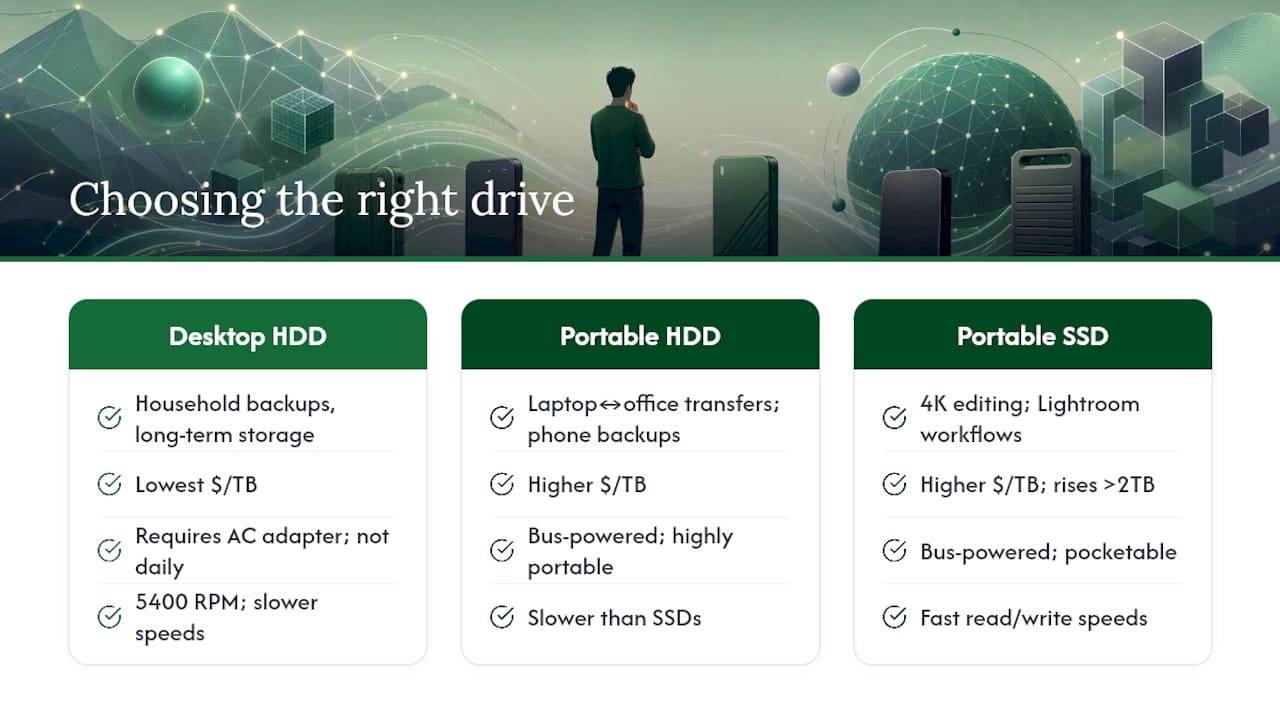
If you're backing up a household's worth of photos, tax documents, and old hard drive images you never want to lose, a desktop HDD is the obvious pick. You're paying for raw capacity, and you're not touching the drive daily, so the 5400 RPM platters and AC adapter that keep the price down aren't a real downside.
If you're moving files between a laptop and a client's office, or backing up a phone on the road, a portable HDD gives you decent capacity without needing an outlet. You give up some speed and pay more per terabyte, but portability is the whole point.
If you're editing 4K video or running a Lightroom catalog off external storage, cost per terabyte stops being the deciding factor. PCMag's testing confirms that HDDs still win on cost per gigabyte, but SSDs win on read and write speeds that actually affect your workflow. Reviewers focused on photography workflows generally point to 1TB and 2TB portable SSDs as the value sweet spot when speed is non-negotiable, since going bigger pushes the $/TB up sharply.
Warranty length and included services also belong in your value calculation, not just the sticker price. A drive with a 3-year warranty and free data recovery attempts is worth more than an identical drive with a 1-year warranty, even at the same $/TB, because a drive failure without recovery coverage can cost you far more than the price difference ever would.
Pro Tip: Before adding anything to your cart, run this six-point mental checklist: (1) What interface do I need, USB-C or USB-A? (2) How much capacity do I actually use in a year? (3) Does this drive need external power or does it run off the USB port? (4) What's the warranty length, and does it include data rescue? (5) Is this retailer's return policy long enough to test the drive? (6) What's the actual $/TB after any current promo code?
How to Calculate Cost Per Terabyte Yourself
The formula is simple: price divided by capacity in terabytes equals cost per TB. The only trap is unit confusion. Drive manufacturers advertise capacity in terabytes (1TB = 1,000,000,000,000 bytes), but your operating system reports it in tebibytes (1TiB = 1,099,511,627,776 bytes), which is why a "2TB" drive shows up as roughly 1.81TB in Windows. For price comparisons, always use the advertised TB figure the retailer lists, since that's the number the price is based on.
Here's the math laid out for two real examples:
The gap here is stark: the desktop HDD costs less than a quarter of the portable SSD's rate per terabyte. That's not a knock on SSDs, it's just the price of speed and shock resistance in a smaller chassis.
A couple of practical notes on doing this math yourself:
- Always recalculate after coupons or instant rebates apply, since a listed price and a checkout price can differ by 10% or more during sales.
- Watch for multi-drive bundles. A two-pack of 8TB drives priced at $299.98 total works out to $18.75/TB combined, which can beat buying a single larger drive depending on the week's pricing.
Are External Hard Drive Prices Falling or Rising?
Hard drive prices have been on a long downward slide for over a decade. Backblaze's own fleet cost data showed roughly $0.014 per gigabyte for 16TB drives back in November 2022, and that per-gigabyte cost has continued trending down as manufacturers push capacities higher on the same physical platter count.
SSDs haven't followed the same steady curve. NAND flash supply shifts through 2025 and into 2026 pushed SSD prices up in fits and starts, meaning portable SSD $/TB has actually gotten less predictable even as HDD pricing kept its slow, steady decline.
Desktop HDDs remain the most reliable path to the lowest $/TB you can find, largely because that flash memory volatility doesn't touch spinning platters at all.
What this means for timing your purchase:
- If you need bulk capacity and don't care about speed, buy now. Large-capacity HDD prices rarely get dramatically cheaper outside of major sale events, and waiting on hardware improvements won't move the needle much.
- If you're set on an SSD, it's worth waiting for a sale rather than buying at list price, since SSD pricing can vary more than HDD pricing.
- Watch seasonal events. Big capacity HDDs tend to see their steepest discounts during November sale season rather than random midyear drops.
Should You Shuck an External Drive to Save Money?
Shucking means cracking open an external enclosure to pull out the bare internal drive, usually to install it in a NAS or desktop that takes internal drives directly. It used to be a well-known trick because external drives were sometimes priced cheaper than the identical bare drive sold on its own, a quirk of how manufacturers packaged and marketed different product lines.
That gap has mostly closed. External and bare internal drive pricing has converged in 2026, according to live tracking data, so the savings that once made shucking worthwhile are often marginal or nonexistent now. You're also giving up the manufacturer's external warranty the moment you crack the case open, and not every internal drive pulled from an enclosure plays nicely with RAID setups or NAS firmware.
Before you shuck anything, run through this:
- Compare the bare drive's standalone price against the external unit's price. If the difference is less than $15 to $20, it's not worth the warranty risk.
- Check whether your NAS or RAID setup explicitly supports the drive model you're extracting.
- Be honest about your comfort level with a screwdriver and a plastic case that wasn't designed to be reopened.
Pro Tip: If you're shucking purely to save money rather than for a specific NAS compatibility need, price-check the bare drive first. In 2026, you'll often find the "savings" have shrunk to less than the cost of a fast-food meal.
How OutletPicks Calculates and Verifies These Numbers
Every $/TB figure in this guide comes from checking live retailer listings, not manufacturer suggested prices that rarely reflect what you'll actually pay at checkout. Outletpicks runs a real cost per unit index that recalculates unit prices across dozens of everyday categories, external storage included, on a rolling basis rather than a one-time snapshot.
Here's what goes into keeping these numbers honest:
- Prices are rechecked against retailer data on a rolling cycle, so a figure quoted here reflects a real recent price, not a stale number from months ago.
- Each price carries an implicit timestamp; storage pricing moves fast enough that a $/TB figure from even a few weeks ago can be outdated.
- Comparisons draw from Amazon and partner retailer listings so the same drive's price gets checked across multiple sellers rather than trusted from a single source.
- The goal is to strip away pack size and marketing language, and show the number that actually determines value.
What Actually Matters When You're Buying External Storage
Most buying guides treat external drives like a spec sheet contest: more cache, faster interface, prettier case. None of that changes the math that actually determines whether you got a good deal. The only number that matters is dollars per terabyte, and everything else is a secondary consideration layered on top of it.
Where conventional advice falls short is in treating brand name as a proxy for value. Seagate and Western Digital both make excellent and mediocre drives depending on the specific model, and $/TB varies wildly within each brand's own lineup. A shopper who picks "WD because WD is reliable" without checking the actual price per terabyte is just as likely to overpay as someone who's never heard of either company.
If you take one thing from this guide, let it be this: run the math yourself before you check out, every single time, even on a drive you've bought before. Prices move week to week, and the "good deal" you remember from last year might now be the worst option on the page. Buy for your actual capacity needs, not the biggest number available, and let speed requirements, not brand loyalty, decide between HDD and SSD.
— Alex
Run the Numbers Before You Buy
Outletpicks exists because sticker prices lie by omission. Instead of hunting through five browser tabs to figure out whether that 22TB drive really beats the 8TB one on value, the Unit Price Calculator does the division for you and shows the real cost per terabyte in seconds.
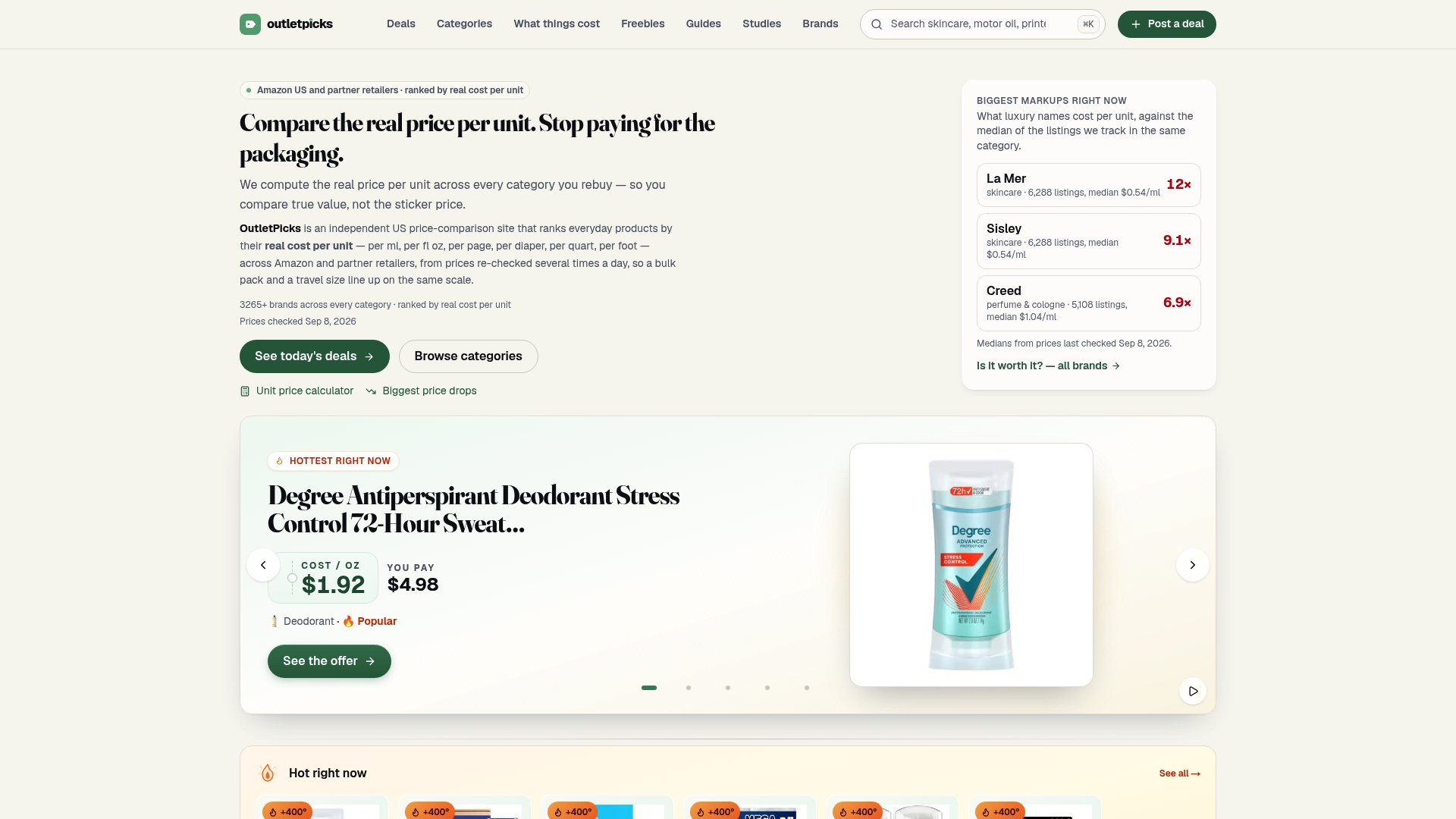
The practical benefit here isn't complicated: you compare retailers side by side, you catch multi-drive bundles that quietly beat single large drives, and you stop getting fooled by a lower total price on a smaller drive. Outletpicks tracks pricing the same way across external storage, household goods, and dozens of other categories, so the habit of checking cost per unit becomes second nature well beyond your next hard drive purchase. Head to the calculator now, plug in the price and capacity of whatever drive you're eyeing, and see exactly what you'd be paying per terabyte before you check out.
Sources
For readers who want to verify prices themselves, check Backblaze's cost per gigabyte analysis for long-term trends, Tom's Hardware's coverage of specific deals, PCMag's tested picks, and DatacenterDisk's live listings for current $/TB across models. Prices change often, so note the date whenever you check one.
- At just $17.68 per Terabyte, this 22TB external Seagate Expansion HDD is one of the cheapest hard drives on the market — backup copious amounts of data for $389 | Tom's Hardware
- Hard Drive Cost Per Gigabyte
- The Best External Hard Drives We've Tested for 2026 | PCMag
- External Hard Drive Prices 2026 - Live $/TB
- The best portable hard drives for photographers | Digital Camera World
FAQ
How Much Does a 1TB External Drive Cost?
A 1TB portable HDD typically runs at higher cost per terabyte compared to larger drives, while portable SSDs cost more per terabyte but move data faster, so check current retailer prices for exact numbers.
What Is the Average Cost of a 1TB Hard Drive?
Current listings show 1TB external hard drives vary in price depending on brand and sales, with larger capacity drives generally offering better cost per terabyte.
Is It Cheaper to Buy a Bigger External Hard Drive?
Yes, in nearly every case. Larger desktop HDDs like the 22TB Seagate Expansion drop cost per terabyte to around $17.68, compared to significantly higher cost per terabyte on small 1TB drives, since manufacturers spread fixed costs like the enclosure and controller across more storage.
Are SSDs Ever Worth the Higher Cost Per Terabyte?
Yes, when you need speed for video editing, large file transfers, or drop resistance while traveling, since portable SSDs deliver much faster read and write speeds than HDDs even though they cost roughly three to four times more per terabyte.
Does Outletpicks Track External Hard Drive Prices?
Outletpicks runs a rolling cost per unit index that includes external storage, letting you check current $/TB figures through the Unit Price Calculator rather than relying on outdated manufacturer pricing.