

Yes, some Amazon discounts can stack, but eligibility depends on the specific item and offer. A typical valid combination is a sale price plus a clipped coupon plus a Subscribe & Save first-delivery discount when all three explicitly apply to that product. The checkout page is the only reliable proof of what actually applied, so always check the final line-item price before paying.
TL;DR:
- Clipping coupons and stacking discounts only work when all offers explicitly apply to the same product and are confirmed on the checkout page.
- Combining a sale price with a clipped coupon is the most reliable stacking method, but promo codes usually do not stack with other discounts.
- Subscribe and Save first-delivery discounts are a one-time offer and do not automatically recur at the same rate for future shipments.
- Always verify the final discounts applied at checkout, as a visible coupon flag on the product page does not guarantee the discount will show at payment.
- Comparing true cost per unit after all discounts is essential to determine if the stacked deal actually offers the best value.
Table of Contents
- Where to find Amazon coupons and how to clip them
- Which discounts commonly stack and which don't
- Subscribe & Save specifics: first delivery, funding, and what changes later
- Step-by-step checklist to stack offers and verify the final price
- Common pitfalls and Amazon terms that strip expected savings
- Worked examples and cost-per-unit comparisons to prove which stack wins
- OutletPicks guidance: calculating post-discount unit cost and using comparison tools
- A habit worth building into every shopping session
- OutletPicks: a quick way to confirm you got the best unit price
- FAQ
- Sources
Where to find Amazon coupons and how to clip them
Most shoppers miss coupons because they never show up unless you go looking. Amazon places a colored coupon flag directly on eligible product detail pages, usually near the price, and clicking "Clip Coupon" saves the discount to your account rather than applying it immediately. You still need to add the item to your cart and reach checkout before the savings show up anywhere.
Beyond individual product pages, Amazon keeps a dedicated hub for browsing offers. You can reach it directly at Amazon or by navigating through Today's Deals and selecting the Coupons filter, a path that works the same way on desktop and in the mobile app according to a consumer guide to Amazon's coupon page. Many coupons are effectively hidden unless you browse this page specifically, since they do not always surface in regular search results.
A few practical steps make this process worth the extra minute:
- Open the product page or the Coupons hub and click the coupon flag to clip it to your account.
- Check the "Expiring soon" section on the Coupons page so nothing you clipped lapses before you shop.
- Keep a short running list, mental or written, of which coupons you have clipped and what they require.
- Add the qualifying item to your cart promptly, since some coupons are limited in quantity and can run out.
Clipping is free and reversible. It costs nothing to clip a coupon you might not use, but it does mean checking back occasionally, since a visible flag today does not guarantee the coupon still exists at checkout tomorrow.
Which discounts commonly stack and which don't
The honest answer is that it depends on how Amazon and the seller have configured that specific offer. Amazon's own promotion terms confirm that coupons apply only to specified qualifying items and that successfully applied coupons will appear on the checkout page, which is the detail that should guide every stacking decision you make, according to the coupon terms published by Amazon.
Some combinations tend to work, and others tend to cancel each other out:
- A sale price and a clipped coupon often combine when the coupon is written to apply to that exact item, stacking on top of the already-reduced price.
- A Subscribe & Save coupon can combine with a clipped coupon when both are explicitly displayed on the same product and cart line.
- Promo codes or third-party merchant codes usually do not combine with a clipped Amazon coupon on the same item, since most codes are built to apply to one discount mechanism at a time.
- Seller-issued coupons sometimes carry their own restrictions that block them from combining with sitewide or category promotions.
Picture a vacuum cleaner listed at a sale price during a Black Friday event, with a manufacturer coupon clipped on top. If both conditions are written into the offer, the checkout page shows the sale price first, then the coupon deduction applied after, landing on a final number lower than either discount alone. Compare that to a registry item carrying a promo code: adding a second, unrelated coupon code at checkout frequently has no effect, because the system recognizes only one code-based discount per order in most cases.
Amazon evaluates every applicable offer at the moment you check out, not when you add the item to your cart. That is why two shoppers buying the identical product can see different final prices depending on which coupons they clipped and which subscription options they selected beforehand.
Subscribe & Save specifics: first delivery, funding, and what changes later
Subscribe & Save discounts are often the most misunderstood part of stacking because the terms shift between the first order and every order after it. According to Amazon's Subscribe & Save help page, a Subscribe & Save coupon typically applies to the first delivery of a new subscription only, and later shipments are charged at the then-current item price and discount rather than the price you saw when you signed up.
The size of the discount itself is not fixed either. Funding comes from a mix of seller and Amazon contributions, and seller guidance on Subscribe & Save describes funding models at 0%, 5%, and 10%, meaning the subscription discount you see can vary by product and by who is funding it.
A few mechanics are worth knowing before you commit:
- The first-delivery coupon is a one-time event, not a recurring guarantee for every future shipment.
- Canceling or modifying a subscription before that first delivery processes can void the coupon entirely.
- Later deliveries reflect whatever price and discount are active at the time, which may be higher or lower than your initial order.
- Amazon sends a reminder email before each recurring shipment, which is your chance to confirm the price before it charges.
Pro Tip: Open the reminder email for your next Subscribe & Save shipment a few days early and compare the listed price against what you paid initially, since the discount from your first order rarely repeats automatically.
Subscribe & Save can be a genuinely strong stack when the first-delivery coupon lines up with a sale price, but treat that opening discount as a one-time event rather than a locked-in rate.
Step-by-step checklist to stack offers and verify the final price
Stacking works best when you follow the same sequence every time instead of hoping a flag on the product page tells the whole story.
- Find and clip coupons first. Visit the product page and the Coupons hub before adding anything to your cart, since a coupon has to be clipped to apply later.
- Confirm the product page shows both the sale price and a clip confirmation. A grayed-out or checked coupon flag means it saved correctly to your account.
- Set up Subscribe & Save if the item qualifies, and look for explicit confirmation that a first-delivery coupon is stacking on top of the subscription discount.
- Add the qualifying items and go to checkout, where Amazon lists which discounts actually applied to each individual line item rather than to the order as a whole.
- Compute the final unit price and capture the checkout totals before you submit payment, since that screen is the only place a successfully applied coupon is guaranteed to display according to Amazon's own coupon terms.
- Watch for subscription reminder emails on future shipments to confirm the recurring price matches what you expected.
A coupon that fails to apply at checkout saved you nothing, no matter how prominent the badge looked on the product page. The checkout page itself is the authoritative confirmation point for every discount Amazon recognizes, which makes it the single step in this checklist you cannot skip.
Running through this list takes an extra minute or two per order, but it is the difference between assuming a stack worked and actually knowing your final price before you commit to the purchase.
Common pitfalls and Amazon terms that strip expected savings
A surprising number of "failed" coupon stacks are not failures at all. They are the terms working exactly as written, just not the way the shopper expected.
- Clipped coupons can expire early or run out of quantity before you check out, so a flag you saw yesterday is not a guarantee today.
- A one-time coupon may apply only to the lowest-priced qualifying item in a cart holding several eligible products, per Amazon's coupon terms, which can make a multi-item stack look smaller than expected.
- Returning part of a couponed order triggers a refund adjusted for the discount you received, meaning a partial return does not refund the full original item price.
- Sellers can configure their own coupons to block combination with sitewide promotions, so an offer that worked on one listing may not behave the same way on a similar item from a different seller.
The lowest-priced-item rule catches the most shoppers off guard. If you buy three units of a product at different price points and a one-time coupon applies, the discount lands on the cheapest unit in that cart, not the one you expected. Reading the small print on a specific coupon before adding multiple items saves a disappointing surprise at checkout.
Worked examples and cost-per-unit comparisons to prove which stack wins
Numbers settle arguments that coupon badges cannot. Here are three scenarios that show why the final unit price matters more than the headline discount.
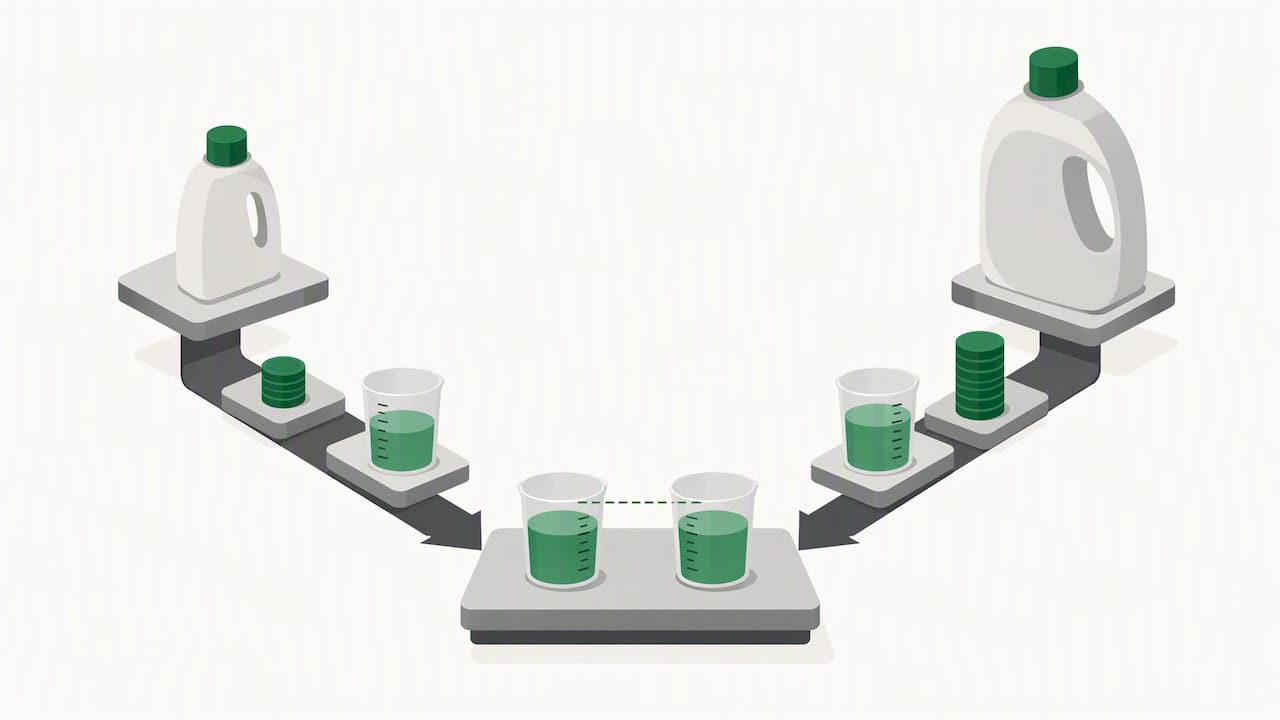
Example 1: sale plus coupon on a single unit. Say a 32-ounce bottle of laundry detergent is marked down to a sale price of $12.00, with a $2.00 clipped coupon applying on top. Checkout shows $10.00 for the bottle, which works out to about $0.31 per ounce.
Example 2: Subscribe & Save first delivery versus later shipments. Say the same detergent costs $11.00 on a first Subscribe & Save delivery with a coupon applied, landing at roughly $0.34 per ounce.
Example 3: a coupon on the lowest-priced item in a multi-unit cart. Say you buy two different detergent sizes, one at $12.00 and one at $9.00, and a one-time coupon worth $2.00 applies only to the cheaper item. The $9.00 bottle drops to $7.00, while the $12.00 bottle stays full price, so the effective savings apply to a smaller share of the total order than a shopper might assume from the coupon's face value.
| Stack | Looks like the best deal | Actually the best unit cost |
|---|---|---|
| Sale plus coupon | Moderate discount | Yes, lowest cost per ounce |
| Subscribe & Save first delivery | Largest percentage off | No, slightly higher per ounce |
| Multi-item coupon on lowest-priced unit | Appears to discount the whole order | No, savings apply to one item only |
The sale-plus-coupon stack looks modest next to a Subscribe & Save headline discount, yet it produces the lowest real cost per ounce in this comparison. Nominal percentages can mislead when pack sizes or list prices differ.
OutletPicks guidance: calculating post-discount unit cost and using comparison tools
Once a coupon stack lands at a final checkout price, the next question is whether that price actually beats the alternatives. We calculate real cost per unit, whether that is per ounce, per diaper, or per page, by rechecking retailer prices on a rolling cycle so comparisons stay current rather than relying on a snapshot from weeks earlier.
We consider pricing from multiple retailers and normalize everything to the same unit of measurement, which matters when one listing sells detergent by the ounce and another sells it by the load. That normalization is what lets you compare a stacked Amazon checkout total against a competing retailer's shelf price on an apples-to-apples basis instead of guessing from sticker prices alone.
Before committing to a cart full of stacked coupons, running the final unit price through our cost-per-unit index or browsing the relevant category pages can confirm whether that stack actually represents the best available value or just the best-looking discount on one listing.
A habit worth building into every shopping session
The most reliable shopping habit I can recommend is simple: trust the checkout page over every badge, banner, or percentage you see beforehand. Clip coupons early, keep a short checklist running during your session, and never assume a stack worked until the final total confirms it.
Stacking itself only gets you partway there. Its real value shows up when you pair it with a unit-cost comparison, since the biggest percentage off is not always the lowest price per ounce, per diaper, or per unit once the math is done.
— Alex
OutletPicks: a quick way to confirm you got the best unit price
Clipping coupons and timing a Subscribe & Save order takes effort, and it is worth knowing whether that stacked Amazon price actually beats the competition once you are done. We compare post-discount unit costs across retailers and refresh our pricing on a rolling cycle, so the comparison reflects current numbers rather than outdated snapshots.
- Check whether your stacked Amazon total beats other retailers on a true cost-per-unit basis.
- Browse our category pages to compare similar products before you finalize a cart.
- Use the cost-per-unit index to see where a given product ranks across sellers.
FAQ
Does Amazon let you stack coupons?
Yes, but only when the specific offers are written to combine, such as a sale price with a clipped coupon or a Subscribe & Save first-delivery discount. The checkout page confirms which discounts actually applied, since a coupon flag on the product page is not a guarantee.
Is couponing still a thing in 2026?
Couponing remains active, though it has shifted toward digital clipping rather than printed codes. The most dependable approach is comparing the final unit cost after all discounts, shipping, and tax rather than assuming a listed percentage tells the full story, based on Amazon's coupon terms.
Does Amazon have a secret coupon page?
Amazon's coupon offers are not secret, but many shoppers never find them because they are not always visible in regular search results. You can browse them directly through the Coupons hub at amazon.com/coupons or by selecting the Coupons filter under Today's Deals.
Is coupon stacking still a thing?
Stacking still works for specific, compatible combinations, most commonly a sale price paired with a clipped coupon or a Subscribe & Save first-delivery discount. Eligibility is set item by item, so the checkout screen remains the only reliable way to confirm which discounts actually combined.
How do I know if a coupon only applies to one item in my cart?
Amazon's terms state that a one-time coupon may apply only to the lowest-priced qualifying item when a cart holds several eligible products. Checking the checkout line items before paying shows exactly which unit received the discount.
Sources
- Coupon Terms (Amazon promotion details)
- What is Amazon Subscribe & Save? - Sell on Amazon
- Amazon coupon page explained - Good Housekeeping